
Security
PHP2Shell Vulnerability: Is Your PHP Version Patched?
PHP2Shell (CVE-2026-109618) is fixed in PHP 8.5.12, 8.4.27, 8.3.36 and 8.2.35. Check your PHP version and ask your host to confirm. Status: 23 Oct 2026.
- By IT bugsolutions
- 10 min read
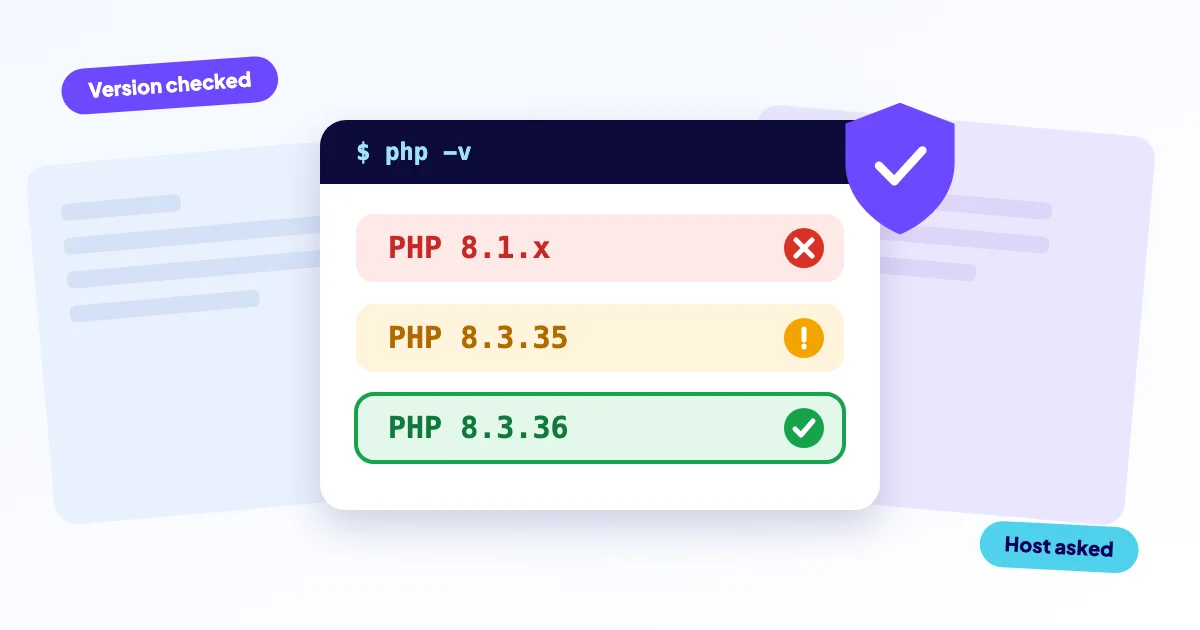
On 21 October 2026 the PHP project patched two critical PHP vulnerabilities, known together as PHP2Shell (CVE-2026-109618 and CVE-2026-109619), that could let an attacker run code on a web server without logging in. They affect almost any site that runs on PHP, including WordPress and online shops. The one thing to do now: find your PHP version and ask your host to confirm the fix is in place. Patched means 8.5.12, 8.4.27, 8.3.36 or 8.2.35, or newer.
- PHP2Shell = CVE-2026-109618 and CVE-2026-109619 (CVSS 4.0: 9.2). Patched versions: PHP 8.5.12, 8.4.27, 8.3.36 and 8.2.35 (21 October 2026). PHP 8.1 and older get no update from the PHP project.
- What to do now: look up your PHP version (steps below), compare it with the table, and ask your host to confirm in writing that the fix is in your build. On shared hosting the version number alone proves nothing.
- Exploitation attempts are confirmed; large-scale successful exploitation is not.
- Only updating fully fixes it. Temporary settings do not cover everything.
Published on 23 October 2026. The situation is changing quickly. The sources at the bottom of this article are leading, not this summary.
What is PHP2Shell?
PHP2Shell is the name for two critical flaws in PHP itself (CVE-2026-109618 and CVE-2026-109619), not in WordPress or any plugin. Without logging in, an attacker could potentially run code on your server. The PHP project scored both flaws 9.2 out of 10 on the CVSS 4.0 scale. Experts call this “remote code execution”.
In plain language, both are memory-handling errors. The result is code running with the permissions of the web process, and memory contents such as passwords or tokens could leak. Researchers at Calif (with OpenAI) and Wiz found them using AI models. In principle any PHP installation that handles web requests is in scope, including PHP-FPM and Apache mod_php.
Which PHP version is patched against PHP2Shell?
Patched means the version listed for your branch, or anything newer. This table shows the status according to the PHP project on 21 October 2026. CVE-2026-115560 (see below) is not fixed by these releases.
| PHP version | Status | What to do |
|---|---|---|
| 8.5 | Patched in 8.5.12 | Update to 8.5.12 or later. |
| 8.4 | Patched in 8.4.27 | Update to 8.4.27 or later. |
| 8.3 | Patched in 8.3.36 | Update to 8.3.36 or later. |
| 8.2 | Patched in 8.2.35. Security updates run until 31 December 2026. | Update now and plan a move to 8.3 or newer. |
| 8.1 and older | No update from the PHP project. Source-only backports exist for 7.4, 8.0 and 8.1 (you would have to build them yourself). Distributions or LTS vendors may provide their own fixes. For 7.3 and older there is no fix. | Ask your host about its own fix, or migrate to a supported version. |
Source: PHP project, advisory and release notes, 21 October 2026.
How do you check your PHP version?
You can see your PHP version in your hosting control panel or in WordPress. Menu names differ by host and by WordPress version. If you cannot find it, simply ask your host.
- cPanel: open “Select PHP Version” or “MultiPHP Manager”. The chosen version is listed per domain.
- Plesk: go to Websites & Domains and open the PHP settings for your domain.
- WordPress: go to Tools, Site Health, the Info tab, then Server. The PHP version is listed there.
Hosts sometimes patch the build without changing the version number, or apply protection at server level. Hostinger gives one example: a build date of 21 October 2026 or later in “PHP Info”. The surest route is to ask your host: “Does my site run on a build with the fix, for the PHP version I have selected?”
If you create a temporary phpinfo() file yourself, delete it straight away, because it exposes sensitive information. php -v on the server shows the command-line version, not necessarily the one your website uses.
How do you update PHP on your hosting?
On most hosting panels you choose the PHP version yourself. This is general practice, not from the sources. Make a backup first and test your theme and plugins.
- Open the panel: in cPanel “Select PHP Version” or “MultiPHP Manager”, in Plesk the PHP settings of your domain.
- Pick a version your host confirms as patched, preferably 8.3 or newer.
- Load the site, the login screen and (for a shop) checkout, and check that everything works.
- Ask your host to confirm that the PHP workers were restarted after the update. The PHP project lists the restart as part of the fix.
Choosing a version in the panel only helps if the host has updated that build itself. If the site stops working after the switch (for example HTTP 500), go back to the previous version and read what to do when a site breaks after an update or see the fix for a website that is down.
Not sure what you are looking at? Send us the name of your host and your PHP version through the contact form. The diagnosis is free.
Is PHP2Shell being exploited?
Attempts are confirmed, but large-scale successful exploitation is not. Hold both facts together. The sources differ by party (status 23 October 2026):
- CISA had not observed exploitation on 21 October. According to watchTowr and Tenable, the flaws were not in its KEV catalog (its list of known exploited vulnerabilities) on 22 October.
- watchTowr reports attempts since 21 October in its own honeypots (decoy servers), without saying who is behind them.
- Rapid7 reports attempts but saw no exploitation itself. Public proof-of-concepts (example attacks) only work for specific combinations of operating system, PHP version and web server.
- NCSC-NL was investigating first signs of successful exploitation on 22 October. On 23 October it judged exploitation to be complex and large-scale exploitation less likely than first thought, with one unconfirmed report from abroad.
- BSI reports no confirmed large-scale successful exploitation, but unconfirmed reports of existing exploits.
For you this means: no panic, but no reason to wait either. The fix is available, and updating remains the advice even without signs of exploitation.
Are systems other than WordPress affected?
Possibly. The flaws are in PHP itself, not in a CMS or plugin. Any site that runs on PHP can therefore be affected, whether it is WordPress, Joomla, Drupal, Magento or custom-built. What matters is the PHP version and build at your host. Updating the CMS or its plugins does not fix it.
What if your host does not offer a patched version yet?
Ask your host in writing for confirmation and a timeframe, and plan an alternative in the meantime. NCSC-NL and Cybermalveillance.gouv.fr both advise contacting your hosting provider if you do not manage your IT yourself.
- Ask your host: is there a build with the fix for the PHP version you selected, and when?
- If possible, choose a branch that is still supported (8.3 or 8.4). Test your theme and plugins first.
- Consider moving to a host that does patch, or let us arrange that for you.
- If you run PHP 8.1 or older, that version is out of date. Plan a migration. See also the risks of outdated software.
Cybermalveillance.gouv.fr (French) advises dealing with sites that handle payments or customer accounts first.
A technical note, usually a job for your host: for temporary measures the PHP project mentions, among others, session.upload_progress.enabled=0, a low post_max_size (the maximum size of a request) and no memory limit at all (memory_limit=-1), set so that applications cannot change it. They belong in php.ini or the FPM pool, followed by a restart of the PHP workers. These settings only narrow certain attack paths and do not cover everything.
CISA advises taking systems offline if they cannot be patched or run PHP 8.1 or older. NCSC-NL mentions keeping them offline until patched. CERT-EU advises isolating internet-facing applications until the fix is applied and verified. CERT-FR advises isolating the system and migrating to a supported version. BSI does not mention going offline, but advises patching immediately. It remains a judgement call per site; ask for advice if in doubt.
How do you recognise a possibly hacked site?
Hard proof is difficult, because hardly any indicators of compromise have been published. Rapid7 stresses that missing logs prove nothing. The sources mention:
- PHP processes that start a shell or download tools (CISA).
- Many large upload requests followed by memory errors or repeated HTTP 500 errors, unusually large
PHPSESSIDcookies and unexplained restarts of PHP workers (Wiz).
General signs of a hack, not specific to PHP2Shell: unknown or recently changed PHP files (especially in uploads, tmp or cache), unknown administrators, unexpected redirects or spam pages, unknown scheduled tasks, and a sudden spike in CPU or traffic. If you suspect something: keep a copy first. Then involve your host and a specialist. After cleaning, change passwords and keys, because memory contents may have leaked. Want someone to look at it? Contact us for a free diagnosis. Read what to do in the first hour after a website hack or see our approach to hacked websites.
Is there a third vulnerability (CVE-2026-115560)?
Yes, but it is separate and, according to the PHP project, unlikely to be exploited. On 23 October PHP published an informational note. Exploitation is only conceivable if an application sets session.serialize_handler to php_binary or php_serialize, switches back to php with ini_set() before session_start(), and upload progress is enabled.
This flaw is not fixed by 8.5.12 and the other versions. The full advisory will follow with the next regular release. Mitigation: session.upload_progress.enabled=0. Some sources call it a “third RCE” (remote code execution). Do not read that as equally serious as the first two.
How can we help?
You can follow the steps above yourself. If you get stuck, or want to be sure it is done right, we take it over remotely:
- We find out which PHP version your site really runs and whether your host has applied the fix.
- We move your site to a patched PHP version, then test that pages, plugins and checkout still work. If the update breaks something, we repair it.
- We check your site for signs of an earlier break-in and clean it up.
- We back up your site before every change, so you can always return to the current state.
The diagnosis is free: it tells us what is needed and what it costs. After that you get a fixed price before we start. Repair work starts from €295 excl. VAT. Cleaning up a hacked site or repairing a web shop starts from €450 excl. VAT. If we do not solve the agreed problem, you get the amount you paid for that job back in full.
Want updates like this handled automatically from now on? Our care plans, such as Essential (€99 excl. VAT per month), keep your site up to date. If you already suspect an infection, start with our help for hacked websites or get in touch.
Sources
- PHP project: advisory and release notes, 20 to 23 October 2026
- CISA: Critical Vulnerabilities in PHP Require Immediate Patching
- CERT-EU: Security Advisory 2026-018
- NCSC-NL: PHP vulnerabilities remain a reason for immediate patching
- BSI: PHP, critical vulnerabilities (in German)
- CERT-FR: CERTFR-2026-ALE-014 (in French)
- Cybermalveillance.gouv.fr: critical PHP flaws alert (in French)
- Wiz Research: PHP2Shell
- watchTowr: PHP2Shell FAQ
- Rapid7: CVE-2026-109618 and CVE-2026-109619
- Hostinger: Protecting PHP2Shell (a host’s own statement, not independently verified)
Frequently asked questions
Also see