
Backups
Website Continuity Plan: A One-Page Template
Build a website continuity plan in an hour: contacts, access list, backups, restore test and a runbook for the five most likely site incidents.
- By IT bugsolutions
- 5 min read
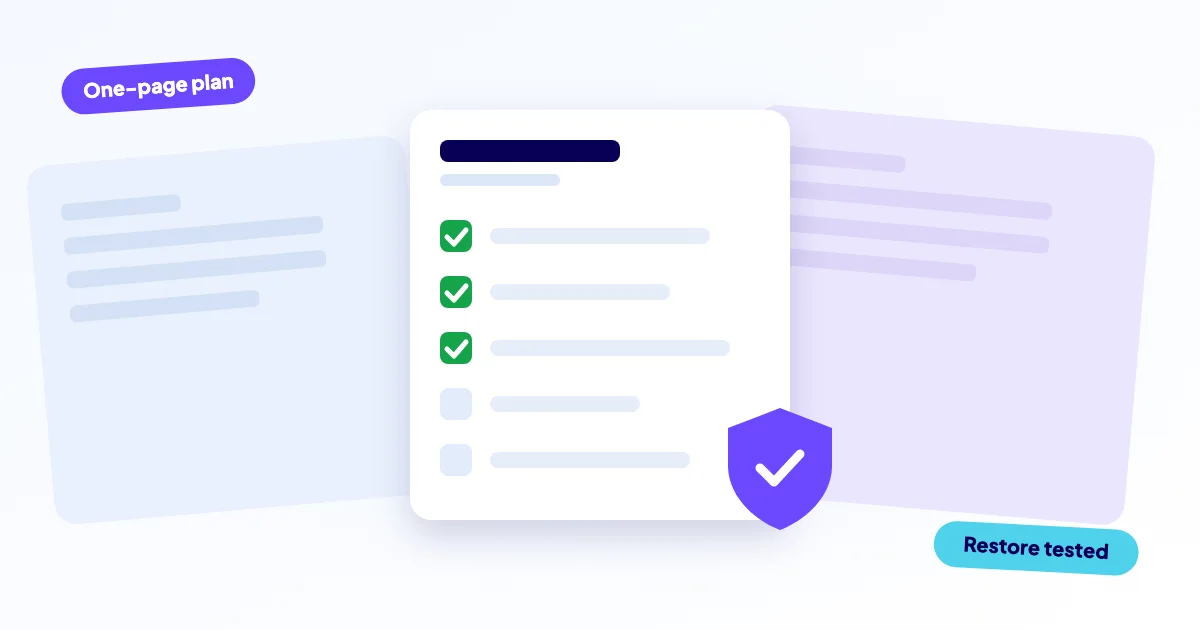
A website continuity plan is a one-page document that says who to call, where the logins are, how to restore a backup and what to tell customers when your site goes down or loses data. You write it once, in about an hour, and it turns a panicked afternoon into a checklist.
- One page is enough for a small business: contacts, access, backups, hosting and DNS details, and a short runbook.
- A backup you have never restored is a hope, not a plan. Test a restore.
- Decide in advance who talks to customers and what they say.
- Store the plan outside the website, so you can read it when the site is down.
Why does a small business need a website continuity plan?
When a site fails, the first minutes go on questions that should have been answered months ago. Who has the hosting login? Where is the domain registered? Is there a backup, and how old is it?
Large companies write long business continuity plans. You need the website version: short, specific and findable. If your site brings in leads or orders, this page is cheap insurance.
What goes on the one-page plan?
Think of it as six blocks. Fill in the real names, not placeholders.
- People: who decides, who fixes (you, a freelancer, a repair service), and phone numbers for each
- Access: where logins for hosting, domain registrar, DNS, CMS admin, email and payment provider are kept (in a password manager, not in the plan itself)
- Hosting and DNS: provider, plan, server location, nameservers, where DNS is managed
- Domain and SSL: registrar, expiry date, who gets the renewal emails
- Backups: what is saved, how often, where, and the date of the last successful restore test
- Communication: who informs customers, via which channel, using which wording
Store a copy in a shared document, printed in a drawer, and with your fixer. A plan that lives only on the broken website helps nobody.
How should you set up backups you can trust?
The common rule is 3-2-1: keep three copies of your data, on two different types of storage, with one copy off-site. A backup stored only on the same server dies together with that server.
Back up both the files and the database. For WordPress and web shops, the database holds orders, users and content, so a files-only copy is not a real backup.
Test the restore
Once or twice a year, restore a backup to a test location and open the result. Check that pages load, you can log in and recent orders exist. Write the date on your plan.
Fragile
- Backup only on the same server
- Never restored once
- Nobody knows who holds the login
Dependable
- Daily copy, stored off-site
- Restore tested and dated
- Access list in a password manager
What does an incident look like from the inside?
Most incidents follow the same arc: something breaks, someone notices, you decide, you repair, you check, you learn. The plan covers each step.
Your plan should name who does the "notice" step, which is the weakest point. Automatic uptime checks with alerts help here, because customers should not be your monitoring.
Which five incidents need a runbook?
A runbook is a short list of steps to follow under stress. For most small sites, five incidents are worth writing down.
| Incident | First move | Guide |
|---|---|---|
| Site down | Check hosting status, then error type | website down |
| Hacked site | Do not delete anything; take it offline, snapshot, change passwords | hacked website |
| Update broke it | Restore last backup | broken after update |
| SSL or domain expired | Renew, then verify | SSL error |
| Data or backup lost | Ask the host for older copies, then restore | Your backup log |
Take a copy of the current state before cleaning, so the cause can be traced. Then change all passwords from a clean device. Do not restore over the evidence blindly.
How do you keep the plan alive?
A plan goes stale fast. Staff leave, you switch hosting, a phone number changes. Put a review in your calendar twice a year and after every big change, such as a migration or a new payment provider.
At each review, check four things: the people and phone numbers, the expiry dates of domain and certificate, the date of the last restore test, and whether the access list still matches reality. It takes ten minutes, and it is the difference between a plan and a forgotten file.
Also write down what you will not be able to do yourself. If you cannot read server logs or restore a database, name the person or service who can, and make sure they know they are on your plan.
How do you talk to customers during an outage?
Prepare three short messages: "we are aware", "we are working on it", "it is fixed". Name the channel, such as a social media post, a note on your Google Business profile, or an email. Keep wording honest and free of promises about timing you cannot control.
We are aware that our website is currently unavailable. Orders by phone and email still work. We will update this message once it is back.
- Fill in the six blocks in one document.
- Move all logins into a password manager.
- Restore a backup once and note the date.
- Set expiry alerts for domain and SSL.
- Share the plan with one other person.
For the day-to-day faults that come before a real outage, see small website problems that cost customers and the 5 most common website problems.
How we help
IT bugsolutions can fill in the technical blocks for you and handle incidents remotely. The diagnosis is free, you get a fixed price before any work (from €295 excl. VAT, from €450 for hacked sites, web shops and migrations), and we back up before each change. You pay after the diagnosis.
Our care plans cover the parts of this page that people forget: daily off-site backups, uptime checks with alerts, SSL and domain expiry alerts, and safe updates with rollback. Questions? Get in touch.
Frequently asked questions
Also see
Website down
Start with one question: is it down for everyone, or only for you? Open the site…
Read more →Hacked website
Visitors sent to spam, a Google warning, admin users you never created? Treat the site as…
Read more →Broken after an update
It worked yesterday, you clicked update, now it does not
Read more →