
Errors
The 5 Most Common Website Problems (and Fixes)
Contact form email, update breakage, slow pages, expired SSL, broken checkout: the 5 most common website problems and how to fix each one.
- By IT bugsolutions
- 5 min read
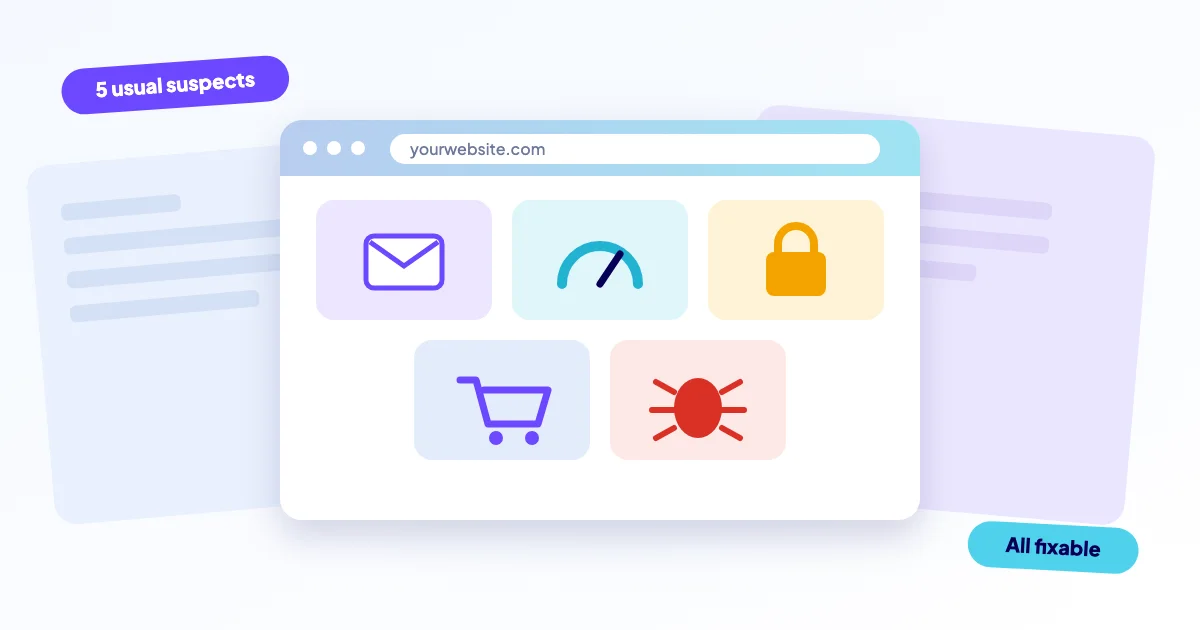
The five most common website problems for small businesses are a contact form that stops sending email, a site that breaks after an update, slow pages, an expired SSL certificate, and a checkout that stops taking payments. Most have a short list of usual causes, and most can be caught early with a simple routine.
- Most website bugs are not exotic: mail, updates, speed, certificates and payments cause the bulk of the trouble.
- The costliest ones fail silently: a dead form or checkout looks fine from the outside.
- A weekly five-minute test and automatic alerts catch most of them before customers do.
- Take a backup before you try any fix yourself.
1. Why does my contact form not send email?
This is the quiet one. The form shows "Thank you", the visitor leaves happy, and nothing arrives in your inbox. You only find out when a customer asks why nobody replied.
The usual cause is that the server sends the message without proper sender authentication. Gmail, Outlook and others then drop it or file it as spam. A changed mail setup, an expired SMTP password or a missing SPF or DKIM record are the common triggers.
Send yourself a test message through the form from a phone, then check inbox and spam. Do it again after every update. Step-by-step help: contact form not sending email.
2. Why did my site break after an update?
You click "update" on a plugin, theme or PHP version, and the layout collapses or you get a white screen. Updates change code that other code depends on, so one mismatch can take down a page, or the whole site.
Typical examples: a plugin that is not compatible with your PHP version, a theme override that no longer matches its parent, or an update that stopped halfway. Rolling back to a backup is usually the fastest way out, which is why the backup comes first.
- Restore the last backup, or deactivate the plugin you just updated.
- Check the error log for the file name in the message.
- Update again later, one item at a time, on a copy of the site.
More detail in site broken after update. If the message says "critical error" on WordPress, see the WordPress critical error guide.
3. Why is my website so slow?
Slowness rarely has one cause. Oversized images, too many plugins, no caching, cheap shared hosting and heavy third-party scripts (chat widgets, trackers) all add up. Visitors on a phone feel it first, and many simply leave.
Common slow-downs
- Photos uploaded straight from a camera
- A dozen plugins doing the same job
- No page caching
- Outdated PHP version
Usual fixes
- Resize and compress images, use modern formats
- Remove plugins you do not use
- Enable caching and a CDN where it fits
- Run a supported PHP version
Google's free PageSpeed Insights shows what drags your page down on mobile. Our guide slow website explains how to read the result.
4. What happens when my SSL certificate expires?
Browsers show a full-page warning such as "Your connection is not private". Most visitors will not click through, so for them your site is effectively closed. Certificates have an end date: Let's Encrypt certificates, for example, are valid for 90 days and must renew automatically.
Renewal fails when a cron job stops, DNS changes, or the hosting plan moves. Expired domain registrations cause a similar failure and are even more disruptive. Both are cheap to prevent with expiry alerts.
Click the padlock in your browser and look at the certificate's expiry date. If it is within a few weeks and nothing renews it automatically, act now. See SSL certificate error.
5. Why is my checkout or payment not working?
A broken checkout costs money by the hour, and it often fails without a visible error. Typical causes: expired or changed payment API keys, a plugin conflict after an update, a blocked webhook, or a certificate problem on the payment page.
The test is simple: place a real small order, or a test-mode order, once a week. Look at both the customer view and your order list. More in checkout and payment not working.
Which problem is most likely to hit you?
| Problem | Visible? | Typical damage | Early warning |
|---|---|---|---|
| Form email | No | Lost enquiries | Weekly test message |
| Update break | Yes | Downtime, errors | Backup, staged update |
| Slow pages | Slowly | Lost visitors | PageSpeed check |
| Expired SSL | Yes | Warning page | Expiry alert |
| Broken checkout | Often no | Lost sales | Test order |
What is the cheapest way to prevent all five?
You do not need five different tools. Three habits cover most of the ground, and none of them requires technical skill.
First, make a backup before every change, and keep it somewhere other than your web server. Second, change one thing at a time, then test the pages that earn you money: the form, the product page, the checkout. Third, let something watch the site while you sleep, so an expired certificate or a dead server reaches you as an alert and not as a customer complaint.
Be honest about the limit, though. Tools tell you that something is wrong, not always why. Mail authentication, a payment webhook or a PHP conflict still takes someone who can read logs and trace the cause. That is the point at which a second pair of hands pays for itself.
What else goes wrong?
Two more guides worth bookmarking: website down and hacked website. For the bigger picture of how small faults add up, read why small website problems cause big damage, and for a plan for the day something does break, the website continuity plan.
How we help
If you would rather not debug this yourself, IT bugsolutions repairs these problems remotely on WordPress, Laravel/PHP and web shops. The diagnosis is free, you get a fixed price before any work starts (from €295 excl. VAT), and we make a backup before every change. You pay after the diagnosis.
To stop most of these from returning, our care plans add daily off-site backups, uptime checks with alerts, SSL and domain expiry alerts and safe updates with rollback. Or describe your problem and we will look at it.
Frequently asked questions
Also see
Contact form email
A form that drops messages silently costs you enquiries you never even know about
Read more →Broken after an update
It worked yesterday, you clicked update, now it does not
Read more →Slow website
Visitors leave pages that stall, and shoppers abandon slow carts
Read more →Web shop checkout
Every customer who cannot pay is an order you lose, and some will not come back
Read more →